New Feature Announcement: Master Your Email Delivery with the Mail Delivery Center

How do I unblock or whitelist an IP address from the firewall?

If you are looking to whitelist a client's IP address, you are able to do so via the 'Firewall Management' interface inside our client area. You are also able to check for existing blocks, and the reasons behind the blocks. 

1. Accessing Firewall Management
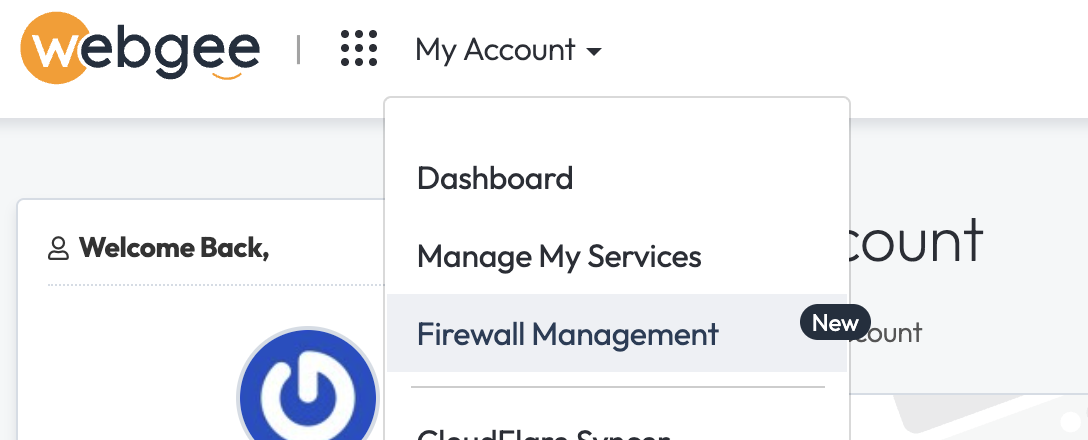
To get started, log in to your WebGee client area and navigate to My Account > Firewall Management.

2. Checking If Your IP Is Blocked

On the Firewall Management page, you can quickly check if your current IP address is blocked on any of your hosting servers. Simply select your server and click the "Check" button.

3. Requesting IP Whitelisting

If you find your IP is blocked, or you want to ensure uninterrupted access, you can submit a whitelist request. Enter your IP address, select the relevant server, and provide a brief reason for your request.


4. Viewing and Managing Previous Requests

All your previous whitelist requests are displayed in a convenient table. You can review the status of each request and delete any that are no longer needed.


  • 384 Users Found This Useful
Was this answer helpful?

Related Articles

 Connect to your server via SSH

SSH allows secure file transfer and remote logins over the internet. Your connection via SSH is...

 How to force your site to use SSL (HTTPS) using

First of all, you will need to install an SSL certificate to your siteOnce your certificate is...

 How do I change PHP versions, or change my PHP settings / config?

The process of setting your PHP version and the 'variables' (such as memory_limit values) differs...

 How do I install a free SSL via cPanel?

Installing an SSL certificate in cPanel is easy! Best of all, it's free with WebGee!Important:...

 How to send emails in WordPress using the WP SMTP Mail plugin

Instead of using the default PHP mail() function, you can send emails using our SMTP services via...

Powered by WHMCompleteSolution