New Feature Announcement: Master Your Email Delivery with the Mail Delivery Center

Softaculous - My WordPress websites are not showing in the WordPress Mananger

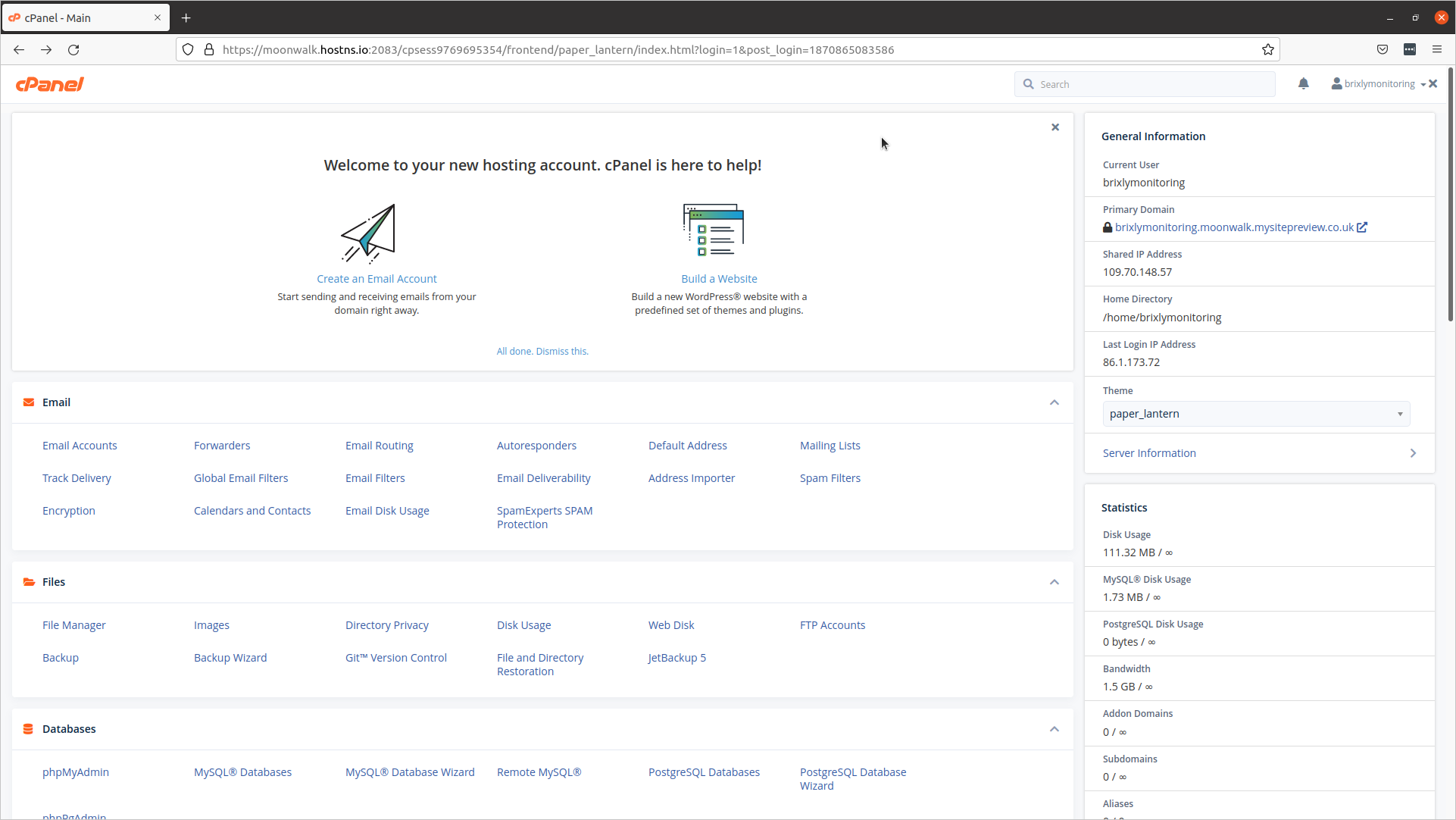
1. The first step is to open cPanel - Main
e3ee4bb909c616f5f6c36fdeb100f308e3ddfa3e5158e1a14b5a4dadbd7e00fcd40222bef82736a8?t=251ce4341b203954d9d8daff00f82641

2. Scroll down and click Wordpress Manager by Softaculous

43135c114e66f931b116e612cab6c840c089ab568c747d793a3c73ace18fa1c7debb222ada1335ed?t=bf01631d030a9ddd1e2f2a9ab505d185

3. Click Scan
d940ad3f444cc31ffba7bd5a16645e77eca5c8d3943fe2235f7eb702d6dd3918021723a5e0275647?t=dc6b011a8fd395bfaa69af09beebcd71

4. Click Manual Installations
8420e069b0c44a2959e01603a8e513ddc5d2039e944c76f99745457810ee509a690cc084894a6ba9?t=e5d2034a7d664bdfadc0d4065a25e6eb

5. Click Start scanning for installations

8c6a0d2f28ab93a3d73f8383d908102f82fa89a74a4b0e1963cca65c0c3e9b6abc69fd24e2a5d047?t=b42bc58302d12742be787aa8e276858e

6. The import has now been completed!

Click 'All Installations'

Softaculous would have now checked for any WordPress installations which sit within the accounts directory structure, and would have added them to be managed via the Softaculous Interface.

fdae40b989818cd99c419dbbff198bd2b0ee835866f1eb001f43a36713019f386414afb648dc2fe6?t=be4e79e62266d8324e3683f802213dae

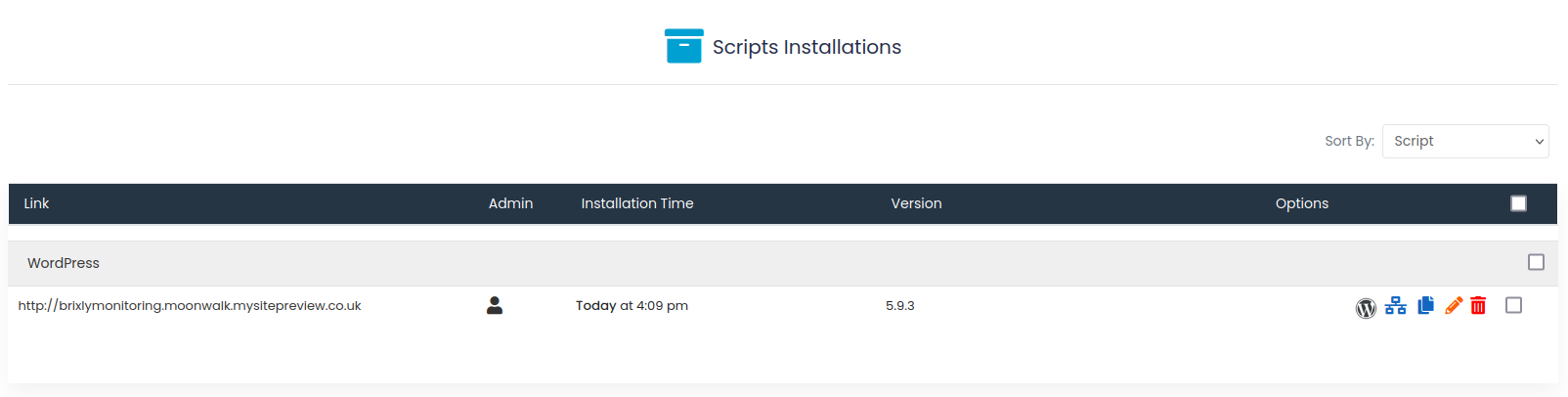
7. The sites will now appear here in the list of Softaculous installations!
8a7ddf6752ffd91701de7e8ac97e3877c702d0ffb8fb0e26b7db75f0aa033fa29ea8cf62da00cc2c?t=a3a863d91267c4f387b9c0417dd41d60


8. That's it. You're done.

  • 202 Users Found This Useful
Was this answer helpful?

Related Articles

 Connect to your server via SSH

SSH allows secure file transfer and remote logins over the internet. Your connection via SSH is...

 How to force your site to use SSL (HTTPS) using

First of all, you will need to install an SSL certificate to your siteOnce your certificate is...

 How do I change PHP versions, or change my PHP settings / config?

The process of setting your PHP version and the 'variables' (such as memory_limit values) differs...

 How do I install a free SSL via cPanel?

Installing an SSL certificate in cPanel is easy! Best of all, it's free with WebGee!Important:...

 How to send emails in WordPress using the WP SMTP Mail plugin

Instead of using the default PHP mail() function, you can send emails using our SMTP services via...

Powered by WHMCompleteSolution

