New Feature Announcement: Master Your Email Delivery with the Mail Delivery Center

SpamExperts - Clearing the callout cache

What is the SpamExperts Callout Cache

When SpamExperts tries to deliver an email but gets rejected for whatever reason, it records that fact. Moving forward, SpamExperts will automatically reject messages sent to this mailbox without checking your cPanel account for several hours. This is to minimise network traffic. This list is not maintained forever, and the cache does expire within a few hours.

It's essential in these circumstances to clear the callout cache so any changes you've made to correct Destinations are taken into account immediately.

Accessing SpamExperts

cPanel > Email > SpamExperts

e82b4417c37b9325b0be97420d80d95ab52a7a5ae4d7e99ceac0864c00171bbd3304d6959a59dc82?t=37a0c7c6ec6976eed474fdbe00e804a8

On the next screen, you will see a list of domains within this cPanel account - click 'Login' to enter the SpamExperts configuration for that domain
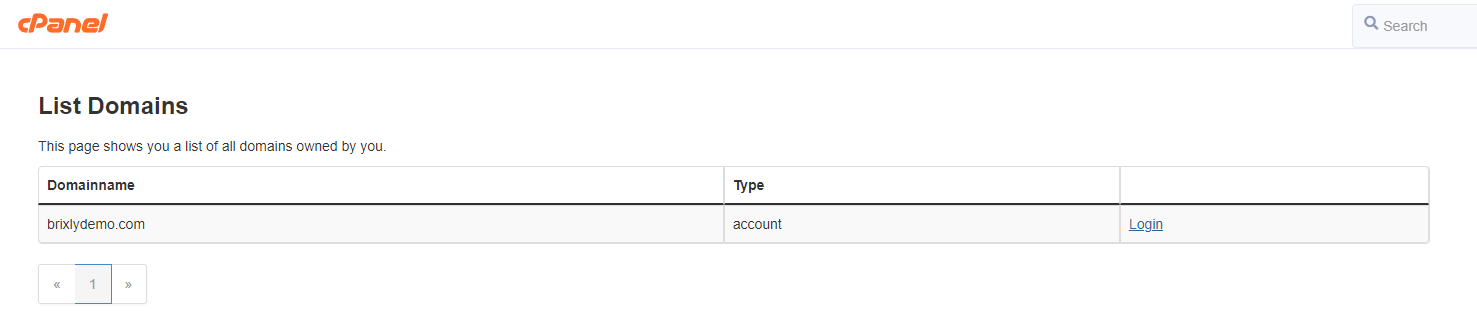
9d6852666831578ff0261b4aaad5247308fd8b7943c4d0cad97e8074e5361e5be33c627b4c0ac923?t=d054bd91fd78a9745bf9e148d15427a8

Clearing the Callout Cache

Click the Clear Callout cache - incoming icon.

  • 451 Users Found This Useful
Was this answer helpful?

Related Articles

 Getting Started

Overview MailGee supports a variety of email clients, both on desktop computers and on...

 Android

Open the Email app. If this is your first email account, tap Add Account; if not, tap More and...

 Apple macOS / iOS

Method 1 via Mobileconfig¶ Email, contacts and calendars can be configured automatically on...

 eM Client

Launch eM Client. If this is the first time you launched eM Client, it asks you to set up your...

 KDE Kontact

Launch Kontact. If this is the first time you launched Kontact or KMail, it asks you to set up...

Powered by WHMCompleteSolution