The Backups menu in the section Files allows you to generate/restore backups of:
- a full cPanel account
- a MySQL database
- mail filters
- mail forwarders
A full cPanel backup includes all account files, databases, email accounts, and settings.
We recommend creating a full cPanel backup before any major data modification/migration.
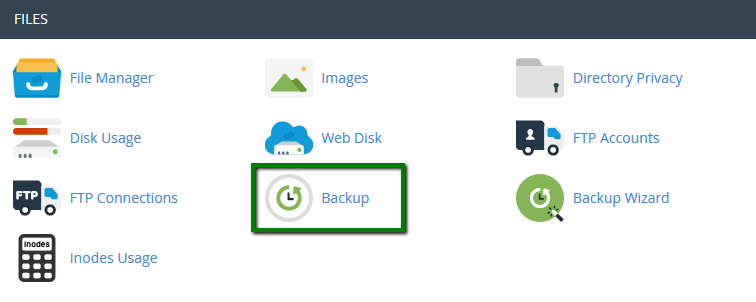
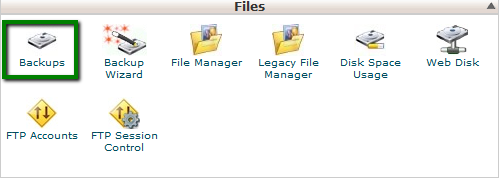
1. Go to cPanel > Files section > Backup menu:
with cPanel Basic Theme
with cPanel Retro Theme
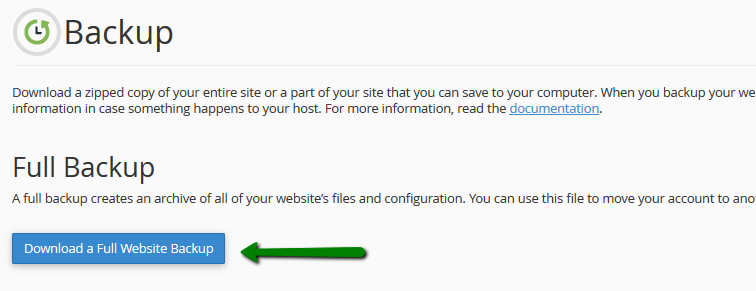
2. Click on Download a Full Website Backup:
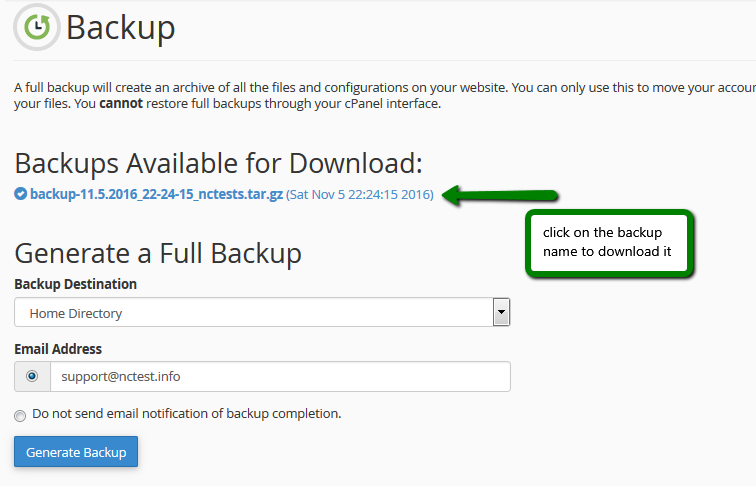
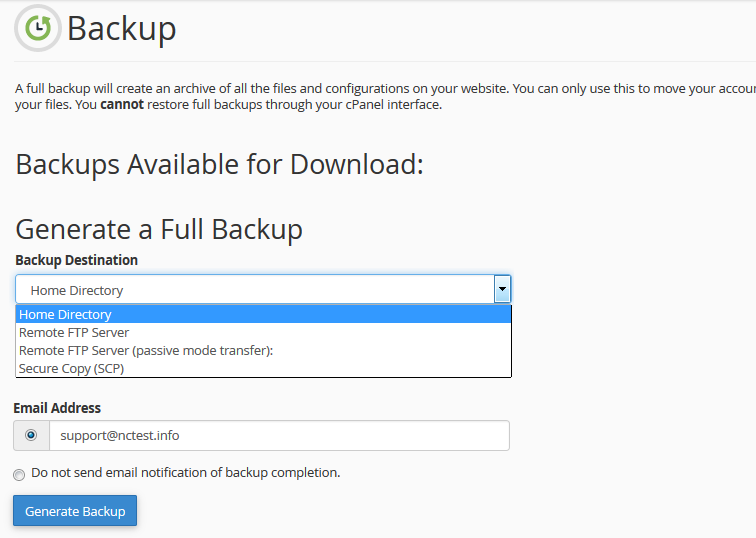
3. By default, a full cPanel backup will be saved into your account home directory.
Go ahead and change Backup Destination if you would like to choose another target location for the backup.
Click on Generate Backup to proceed:
Go ahead and change Backup Destination if you would like to choose another target location for the backup.
Click on Generate Backup to proceed:
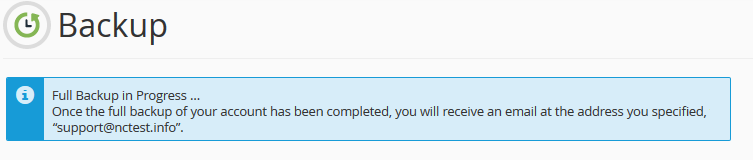
4. You will see the following message notifying about the start of the backup generation process:
5. Click on Go Back to monitor the status of the generation process in real-time.
The green checkmark next to the backup name will indicate that the backup generation has been completed.
You can now either download it or navigate to the remote server to see if the backup is there:
The green checkmark next to the backup name will indicate that the backup generation has been completed.
You can now either download it or navigate to the remote server to see if the backup is there: