

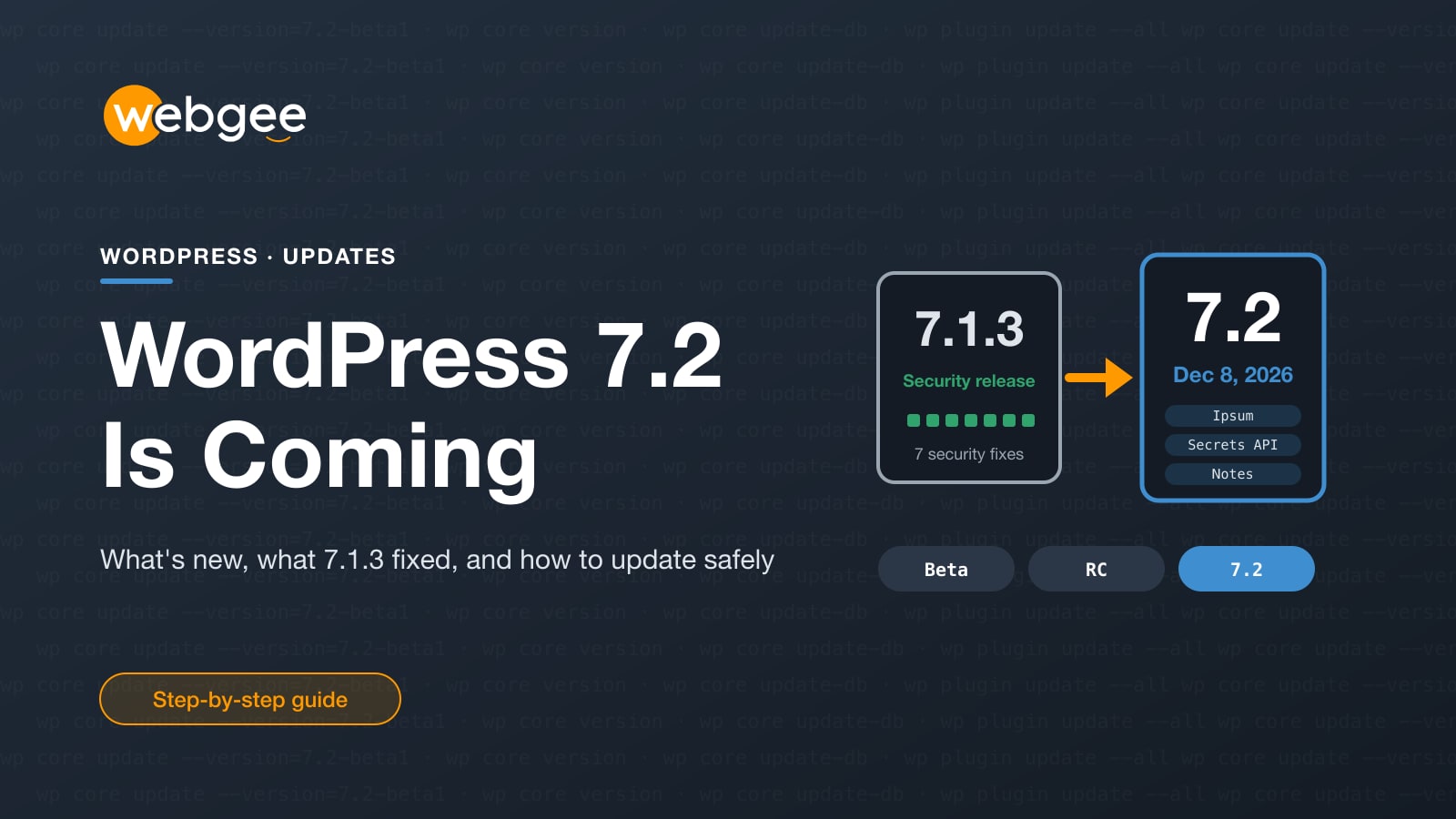
Two WordPress releases matter this autumn. WordPress 7.1.3, released on October 6, 2026, is a security release with seven fixes, and every site should already be on it. WordPress 7.2, the last major release of 2026, reached Beta 1 on October 20 and is due on December 8.
This guide covers what 7.1.3 fixed, what's coming in 7.2, the changes that could affect your theme or plugins, and how to test the new version without risking your live site.
Key takeaways
- WordPress 7.1.3 (October 6, 2026) fixes 7 security issues; update every site now.
- WordPress 7.2 is due on December 8, 2026, after four betas and three release candidates.
- 7.2 brings the Ipsum default theme, better editor notes, a Secrets API and faster admin loading.
- Check custom code for the SQL mode change, stroke-based icons and deprecated components.
- Test betas on a staging copy or in WordPress Playground, never on your live site.
Short version Update to 7.1.3 now if you haven't. Don't install 7.2 betas on a live site. Test them on a staging copy, and plan the real upgrade for after December 8, once your key plugins confirm support.
WordPress 7.1.3: seven security fixes
WordPress 7.1.3 is a maintenance and security release with 7 security fixes and 4 bug fixes. The security issues it closes are:
- a stored cross-site scripting (XSS) issue on the Comments admin screen, exploitable through pending comments;
- a denial-of-service issue in
WP_Http::make_absolute_url(); - a second-order SQL injection in the WXR (export) tool;
- users with the Author role being able to make posts sticky;
- comments on private and unpublished posts being readable without logging in;
- an XSS issue in Imgur embeds;
- forgeable parameters in the
{status}_{type}hook that could cause action-name collisions.
Several were reported by security researchers at Trail of Bits, OpenAI, Anthropic and Patchstack, which is another sign of how much AI-assisted security research is now finding in widely used software. The same fixes went into WordPress 7.0.7, and were backported to every branch still eligible for security fixes, back to 4.7. Only the latest version is actively supported, though, so "still on 6.x with backports" isn't a long-term plan.
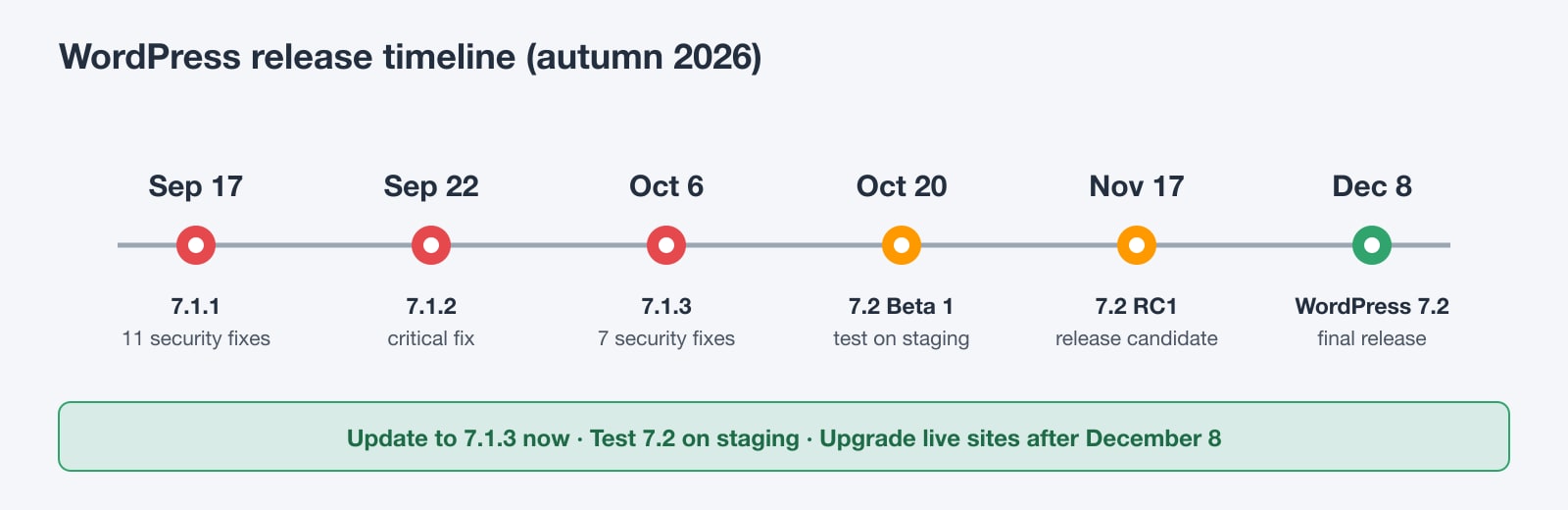
7.1.3 also follows two other security releases in a few weeks: 7.1.1 (September 17, 11 security fixes) and 7.1.2 (September 22, a critical fix for a flaw that, under certain conditions, could let an unauthenticated attacker run PHP code). If your site skipped any of these, it's exposed.
Check you're on 7.1.3
In the dashboard, go to Dashboard > Updates. Sites with automatic background updates enabled should already have it. From the command line:
# Show the installed version
wp core version

# Update to the latest release, then update the database if asked
wp core update
wp core update-db

# Update plugins and themes too
wp plugin update --all
wp theme update --all
Also update PHP this month On October 21 the WordPress project also published a Critical PHP Security Release notice. Two PHP flaws (PHP2Shell) allow remote code execution and are fixed in PHP itself, not WordPress. Check your PHP version under Tools > Site Health > Info > Server. Read our PHP2Shell guide for the fixed versions and patch steps.
WordPress 7.2 release schedule
WordPress 7.2 is led by Matt Mullenweg, with David Baumwald coordinating and George Mamadashvili and Peter Wilson as tech leads. Here is the official schedule:
- Beta 1: October 20, 2026 (out now)
- Beta 2, 3 and 4: October 27, November 3 and November 10
- Release Candidate 1: November 17, followed by RC2 (November 24) and RC3 (December 1)
- Final release: December 8, 2026
For the first time, the release itself will be livestreamed as a public webinar, so anyone can watch it ship. Joining details will be published closer to the date.
What's new in WordPress 7.2
Ipsum, a new default theme
WordPress 7.2 is set to bundle Ipsum, a deliberately minimal, blank-canvas blog theme. It also marks the end of year-based theme names like Twenty Twenty-Five: default themes now get their own names, and change when the design calls for it rather than every year.
Better notes, with suggestion mode in the works
Notes, the editor's commenting feature, gets emoji reactions, notes shown directly on the canvas, and a minimised view. The official roadmap calls suggestion mode, where you propose edits that the author accepts or rejects, the centrepiece of this cycle. It wasn't in Beta 1, so treat it as planned until a later beta confirms it. Real-time co-editing isn't part of 7.2.
A Secrets API for credentials
Plugins often store API keys and passwords as plain options in the database. 7.2 introduces a Secrets API with encryption at rest, credential rotation and pluggable storage. In 7.2 it's expected to be managed from WP-CLI only, with an admin screen planned for 7.3. If you build plugins that store third-party credentials, this is worth adopting early.
Faster admin and smarter media
- Admin scripts and styles now load individually, with prefetching, instead of being concatenated, so browsers cache them better.
- The Media Library resizes, compresses and converts images in the browser before uploading, which takes load off the server.
- The admin menu and toolbar switch from Dashicons to SVG icons from the WordPress icon library.
And more
Beta 1 also adds responsive gallery controls, text shadows and gradients, form element styling, a redesigned media inserter and an "On This Day" dashboard widget. AI features stay in the official AI plugin for now: they have to show real adoption before they're considered for core.
Changes that could break your site
Most sites will upgrade without trouble, but these changes are the ones to test, especially if you run custom code:
- SQL mode:
NO_BACKSLASH_ESCAPESis now removed from the database connection's SQL mode by default. Code that relied on it needs theincompatible_sql_modesfilter in adb.phpdrop-in, because the database connects before plugins load. - Icons: about 330 core icons are now stroke-based with
fill: none. Custom CSS that recolours icons withfillshould usecolorinstead. - Deprecated components: the Divider, ResponsiveWrapper, Scrollable, ZStack and Elevation components are deprecated and will be removed in 7.4.
- Script loading: plugins that assumed admin scripts were concatenated should be checked against the new loading behaviour.
/* Before: recolouring core icons with fill no longer works in 7.2 */
.my-plugin .components-button svg { fill: #ff9900; }

/* After: icons are stroke-based, so use color */
.my-plugin .components-button svg { color: #ff9900; }
PHP requirements don't change in 7.2. The minimum supported version is still PHP 7.4 (since WordPress 7.0), and the recommended version is PHP 8.3 or newer, with MySQL 8.0+ or MariaDB 10.11+.
How to test WordPress 7.2 safely
The WordPress project's own advice is to test betas in WordPress Playground, on a local site or on a staging site, and to back up first. Never on the site your customers use.
Option 1: a staging copy of your site
This is the most useful test, because it uses your real theme, plugins and content. Create a staging copy, then update it to the beta:
# On the staging copy only
wp core version

# Install the current beta (use beta2, beta3... as they come out)
wp core update --version=7.2-beta1

# Or follow the latest development build
wp core update --version=nightly

# Go back to the stable release if needed
wp core update --version=7.1.3 --force
Prefer clicking to typing? Install the WordPress Beta Tester plugin on the staging site, choose the "Bleeding edge" channel with "Beta/RC Only", then update from Dashboard > Updates.
Option 2: WordPress Playground
WordPress Playground runs a full WordPress 7.2 beta in your browser, with nothing to install. It's ideal for a quick look at Ipsum and the new editor features, but it won't tell you whether your own plugins work.
WordPress 7.2 upgrade checklist
- Update every site to WordPress 7.1.3 now
- Check PHP is on a fixed release (8.2.35, 8.3.36, 8.4.27 or 8.5.12)
- Make a staging copy and install the 7.2 beta there
- Test your theme, page builder, checkout and forms
- Check custom code for the SQL mode and icon changes
- Take a fresh backup before upgrading the live site
- Upgrade production after December 8, once key plugins confirm support
Let us take care of WordPress updates
Three security releases in five weeks, a critical PHP patch and a major version in December: keeping WordPress safe has become a regular job. On WebGee Managed WordPress Hosting, you get the pieces that make it painless: free SSL, backups, LiteSpeed caching and 24/7 WordPress support, with a staging environment included from the Turbo plan up, so you can try WordPress 7.2 on a copy of your site first.
When PHP2Shell hit in October, our engineers patched every WebGee cPanel and Managed WordPress server, with nothing for customers to do. That's the kind of maintenance we take off your plate.
Frequently asked questions
When is WordPress 7.2 released?
The official schedule sets the final release for December 8, 2026. Release Candidate 1 is due on November 17.
Should I install the WordPress 7.2 beta on my live site?
No. Betas are for testing. Use a staging copy of your site, a local install or WordPress Playground, and upgrade your live site after the final release once your key plugins support it.
What did WordPress 7.1.3 fix?
Seven security issues, including stored XSS on the Comments screen, a second-order SQL injection in the export tool, a denial-of-service issue and disclosure of comments on private posts, plus four bug fixes.
Does WordPress 7.2 need a newer PHP version?
No. The minimum is still PHP 7.4 and the recommended version is PHP 8.3 or newer. Make sure your PHP release includes the October 2026 PHP2Shell fixes.
What is Ipsum?
Ipsum is the new minimal default theme planned for WordPress 7.2. It replaces the year-based Twenty-something naming used for previous default themes.
